Tips for using ZOOM application.
Mobile app:
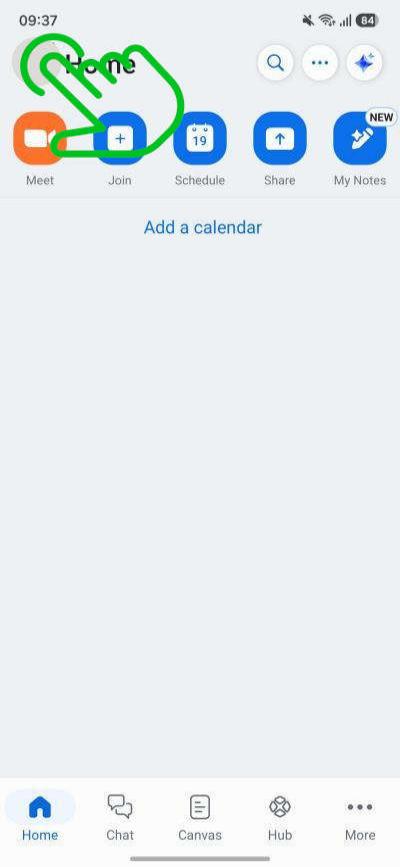
1. In the mobile app, click on your profile picture at the top left corner.
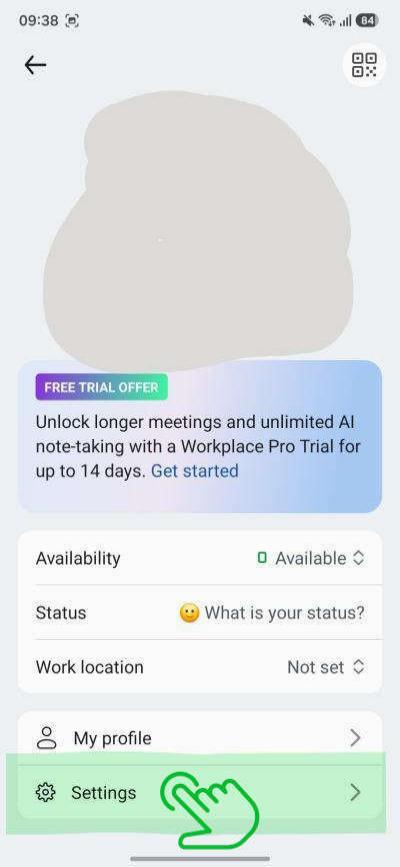
2. At the bottom, click 'Settings'.
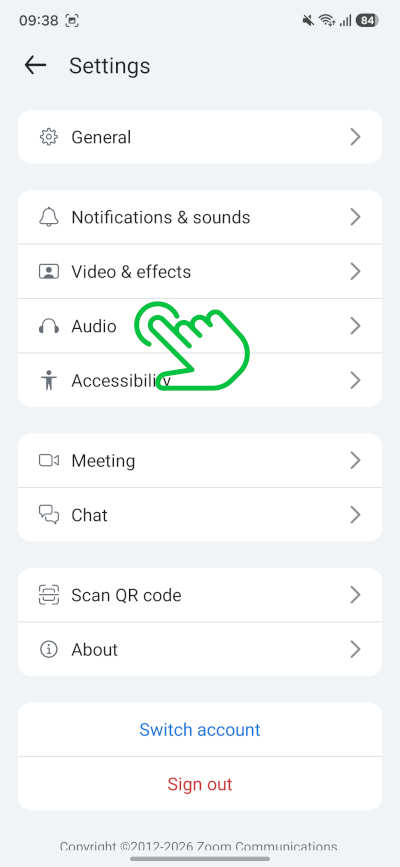
3. In the Settings, click 'Audio'
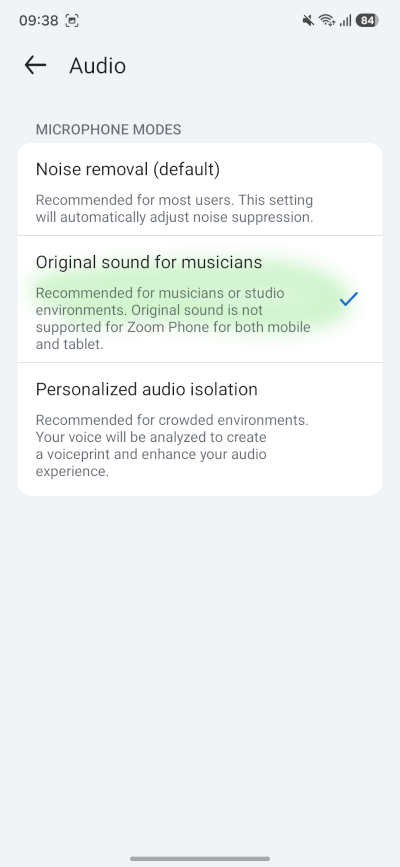
4. Uncheck 'Noise removal' and check 'Original sound for musicians'.
Mobile app in active meeting:
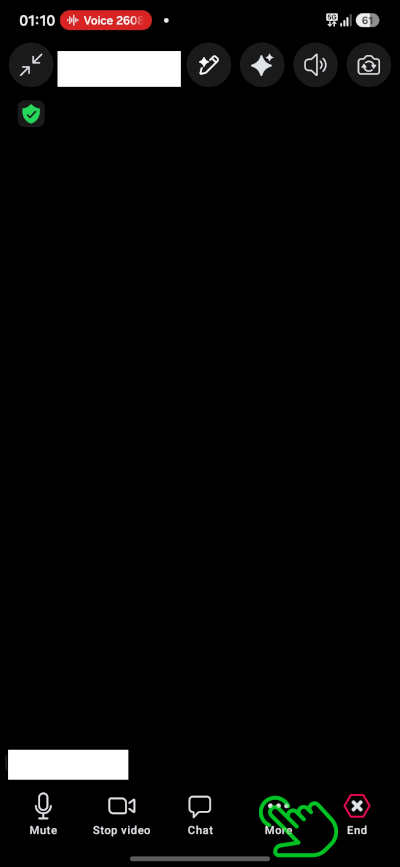
1. Click anywhere on the screen so the menu at the bottom appears.
2. At the bottom, click 'More'.
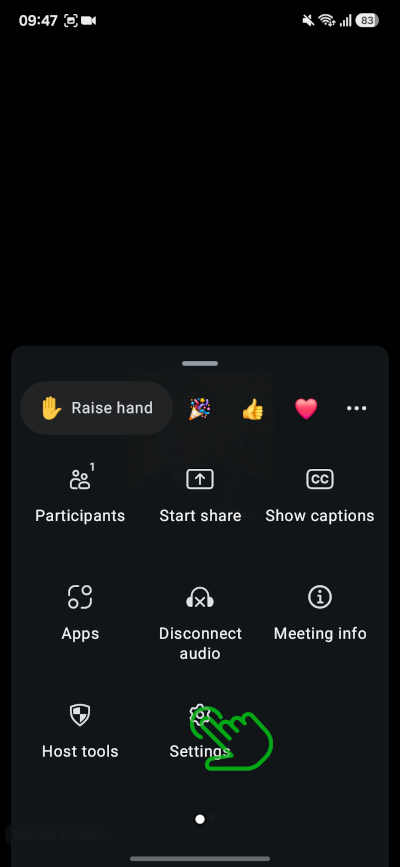
3. At the bottom, click 'Settings'.
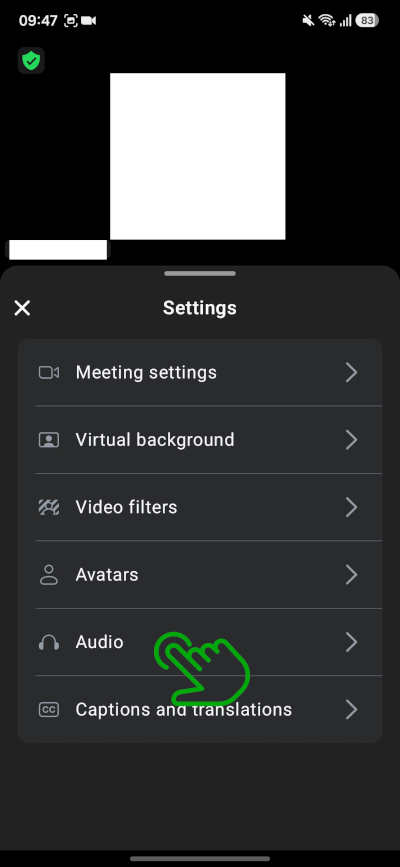
4. In the Settings, click 'Audio'
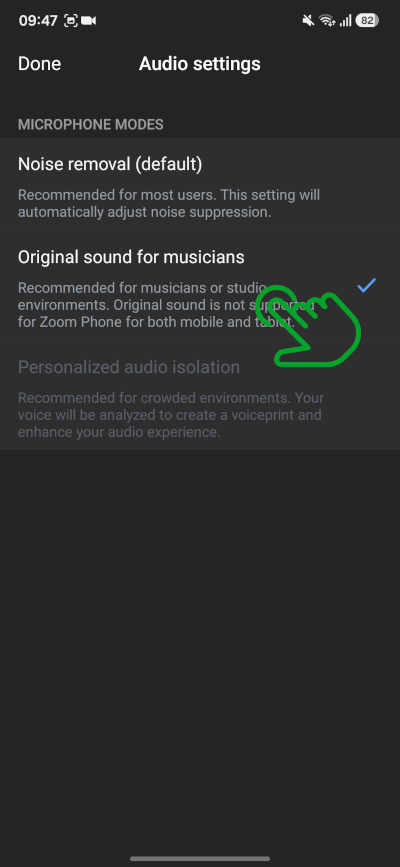
5. Uncheck 'Noise removal' and check 'Original sound for musicians'.

Other tips:
The desktop app offers more screen space and settings, and it allows to change audio input and output devices. It is advisable not to use Zoom with audio speakers to avoid feedback. Bluetooth headphones is the best option for output while playing, but you should use the internal microphone of the laptop or the external microphone or audio interface as input device, and not the headset, for improved audio quality. That option is only available in the desktop app. With mobile app you should use the internal microphone of the tablet or the phone.